hurozo Attend
First step

Set up your first agency

Create an agency, add workers, attach canon, and assign its first task.

Worker Tools

Manage worker

Tune the role and tools for this agency teammate. Graph wiring stays internal.

Tools

Loading...

Worker View

No tools selected
Team worker Untitled Agent Describe what this agent should do. HurozoAgent

Worker Chat

Describe the worker you want to add to this team, or what you want to change.
Draft JSON
{}

Teams

Teams are managed from Agency.

Connectors

Connectors

Connect services for the current agency

Loading connectors…

Agency

Team workspace

Planning

Filters

Build

Runs

Execution activity

Runs

Inspect Worker work, tool calls, reasoning summaries, and failures.

Select a run to inspect its activity.

Files

Agency files

    Documentation

    Contact Us

    New message

    To: hi@hurozo.com

    Hurozo CLI

    Terminal-first agent work

    Hurozo CLI

    The same Hurozo agent runtime, model routes, approvals, and connected tools from your shell.

    Install with Homebrew
    brew tap hurozo/hurozo-cli
    brew install hurozo-cli
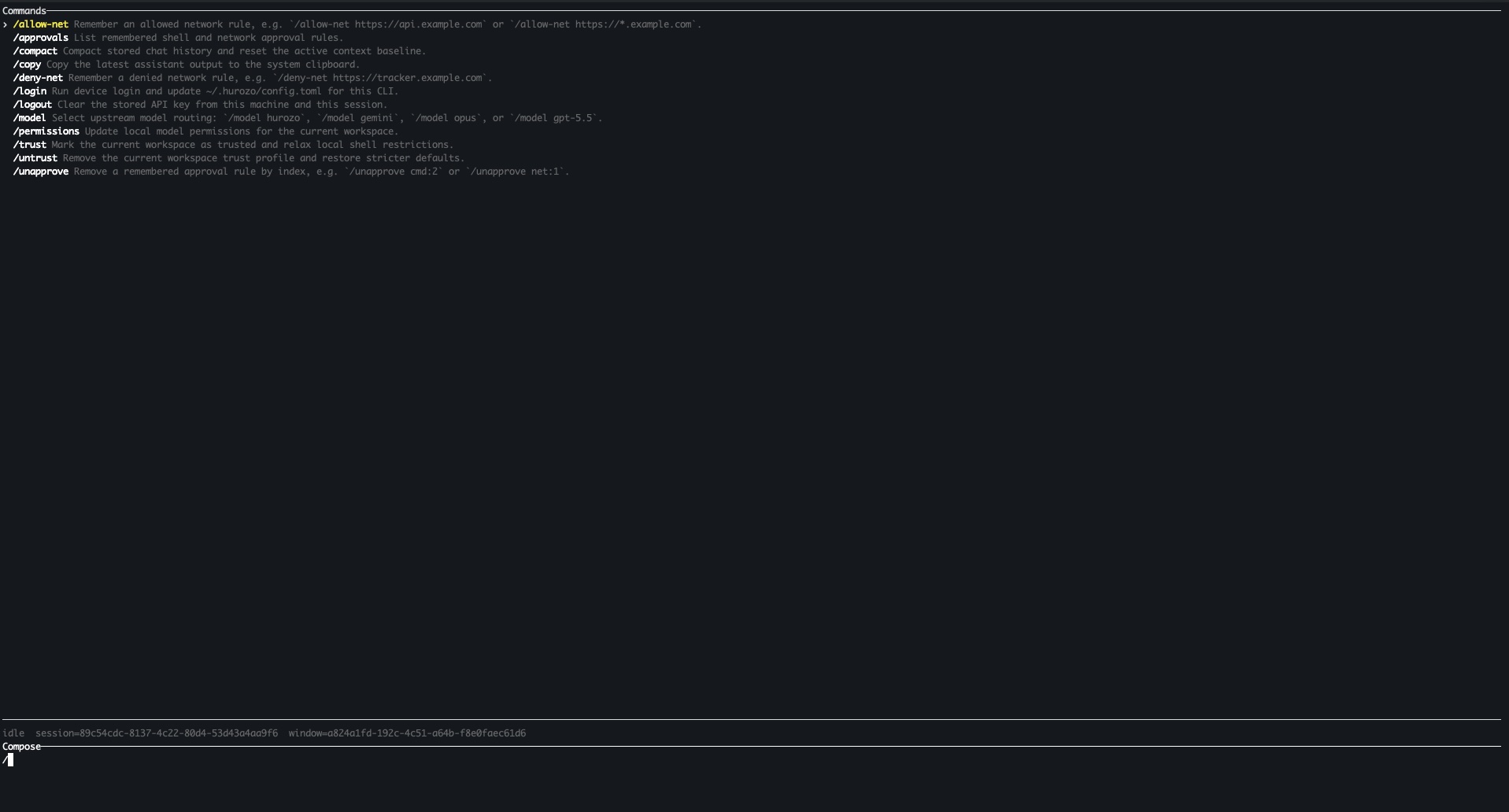
    Hurozo CLI running in a terminal

    Model routing

    Switch between Hurozo, Gemini, Opus, and ChatGPT-backed routes when your account is configured for them.

    Approvals

    Review tool permissions from the terminal and keep remembered decisions scoped to the exact operation.

    Second opinions

    Use model arbitration to ask another available route for critique, checks, or a different perspective.

    Connected tools

    Use the same account-backed connectors and skills available in Hurozo's desktop and WebCLI experiences.

    First run

    After installation, run hurozo. The CLI walks you through account authentication and any model-specific sign-in or secret setup that your selected route requires.

    Hurozo SDK

    Python agent invocation

    Hurozo SDK

    Invoke saved Hurozo agents from Python using the same API tokens, inputs, outputs, and runtime routing used by Agent Builder.

    Install
    pip install hurozo
    getting_started.pyPython
    import json
    import os
    
    from hurozo import Agent
    
    os.environ["HUROZO_API_TOKEN"] = "YOUR_API_TOKEN"
    agent = Agent("sentiment-analyser")
    inputs = {
        "prompt": "Analyze sentiment and return JSON. Text:",
        "input": "I am very happy!",
    }
    
    result = agent.run(inputs)
    print(json.dumps(result, indent=2))

    Agent lookup

    Use an agent name, saved agent id, or agent UUID. The SDK resolves the correct execution target.

    Structured inputs

    Pass a Python dictionary matching the API input keys exposed by the saved workflow.

    Hosted runtime

    Runs against Hurozo's execution endpoint, including model routing, tools, outputs, and usage accounting.

    Token setup

    Create an API token from Account settings -> Manage API Tokens, then set it as HUROZO_API_TOKEN before running scripts.

    Prove

    Show what your AI did, the day leadership or the regulator asks.

    Every answer, decision, and approval, logged and mapped to the EU AI Act. A rented bot cannot show its work. You open one record, end to end, and export it.

    The record, on your data

    See everything your AI did, in a trail you can hand to legal.

    One resolved ticket, every step behind it, timestamped and replayable. Not a summary a bot wrote about itself.

    Attend · the recordobserve mode · sample data
    Ticket #4471 · Refund, damaged · resolved
    09:38:05Received"My order arrived damaged"
    09:38:10Draftedfrom your canon, cited to the source
    09:38:10Heldyour call, nothing sent yet
    09:41:20Approvedby Maria
    09:41:21Sentrefund issued to the original card
    09:41:21Loggedreplayable, end to end
    Art. 12 recordsArt. 13 transparencyArt. 14 oversight Export evidence pack

    One sample record, in observe mode on sample data. The background behind the window is not real data. On your own tickets, every answer, decision, and approval is logged, mapped to the EU AI Act, kept EU-resident, and yours to export.

    How the record works

    You get the audit answer, built as the work happens.

    The Logger writes down every step as the crew works, and maps each one to the article that asks for it. The proof is built as the work happens, not assembled the week before an audit.

    It records what happened, not a summary of it.
    Every read, draft, edit, hold, approval, and send, in order, replayable. You can step back through exactly what the crew did, and why.
    on the record
    Every step, timestampedreplayable
    The source behind eachcited
    It maps each step to the article that asks for it.
    Record-keeping, transparency, human oversight. The compliance answer is a by-product of the work, so it is ready before anyone asks.
    mapped to
    Records, transparencyArt. 12, 13
    Human oversightArt. 14
    You export the whole pack, from data you own.
    One evidence pack for leadership or the regulator, drawn from your EU-resident record, not pulled from a vendor's cloud you cannot see into.
    yours to show
    Export evidence packone click
    EU-resident, ownedyours
    Why it matters

    A rented bot cannot show its work, and a stack you glued together cannot prove it did. When leadership or the regulator asks, the answer is one record you own, not a scramble.

    Questions

    What leadership and IT ask about the record.

    What exactly is logged?
    Every read, draft, edit, hold, approval, and send, on every ticket, in order and replayable. Not a summary the model wrote about itself, the actual steps.
    How does it relate to the EU AI Act?
    Each step is mapped to the articles on record-keeping, transparency, and human oversight, so the evidence those articles ask for is already assembled. It supports your compliance work; it is not a certification.
    Can I export it, and where does it live?
    Yes. You export the evidence pack in a click, drawn from your own record. It lives in your workspace, EU-resident, not on a vendor's cloud you cannot audit.
    Who can see the record?
    The roles you set, and every view is itself logged. You decide who can read, export, or replay, and you can show exactly who looked.
    Does keeping this record slow the crew down?
    No. The record is a by-product of the work, written as each step happens. There is no separate logging pass to run or forget.
    What if the AI gets one wrong?
    The record shows exactly what it did, what it drafted, and who approved it. A mistake is visible and accountable, on the record, not buried in a black box.
    Own the record

    Own the proof, not a vendor's word for it.

    Every answer, decision, and approval on one record, mapped to the AI Act, EU-resident, and exportable in a click. Yours to show, whoever asks.

    You own it Built for the EU AI Act Your data stays in the EU A person is always reachable