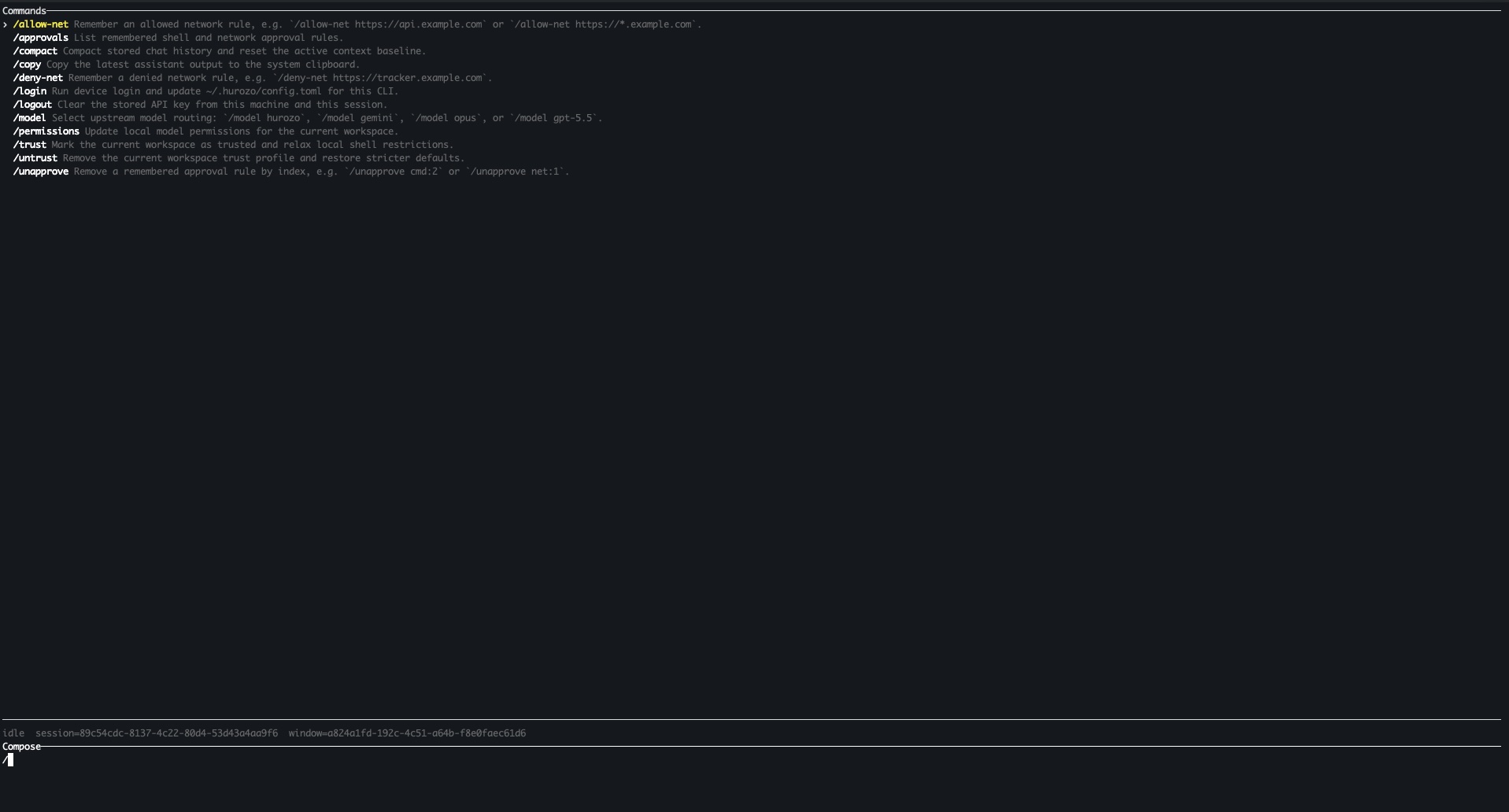
Switch between Hurozo, Gemini, Opus, and ChatGPT-backed routes when your account is configured for them.
Approvals
Review tool permissions from the terminal and keep remembered decisions scoped to the exact operation.
Second opinions
Use model arbitration to ask another available route for critique, checks, or a different perspective.
Connected tools
Use the same account-backed connectors and skills available in Hurozo's desktop and WebCLI experiences.
First run
After installation, run hurozo. The CLI walks you through account authentication and any model-specific sign-in or secret setup that your selected route requires.
Hurozo SDK
Python agent invocation
Hurozo SDK
Invoke saved Hurozo agents from Python using the same API tokens, inputs, outputs, and runtime routing used by Agent Builder.
Install
pip install hurozo
getting_started.pyPython
import json
import os

from hurozo import Agent

os.environ["HUROZO_API_TOKEN"] = "YOUR_API_TOKEN"
agent = Agent("sentiment-analyser")
inputs = {
    "prompt": "Analyze sentiment and return JSON. Text:",
    "input": "I am very happy!",
}

result = agent.run(inputs)
print(json.dumps(result, indent=2))
Agent lookup
Use an agent name, saved agent id, or agent UUID. The SDK resolves the correct execution target.
Structured inputs
Pass a Python dictionary matching the API input keys exposed by the saved workflow.
Hosted runtime
Runs against Hurozo's execution endpoint, including model routing, tools, outputs, and usage accounting.
Token setup
Create an API token from Account settings -> Manage API Tokens, then set it as HUROZO_API_TOKEN before running scripts.
Continue to Hurozo
Use a social provider or a passwordless email magic link.
Support runs on more jobs than any team can keep staffed at once. Attend gives you a crew for each one, sixteen in all, every one working your canon in your voice from day one. Not a single bot with a wall behind it. The whole desk, covered at the same time, which no support team has ever actually had.
Reads the whole overnight wall and sorts it by topic, urgency, and risk, so you walk in already caught up instead of triaging from zero.
Built from
A Sorter, plus the spine
On the loop
Station 1 · Intake
Sends
Nothing on its own
Used
48 users · 1,240 cases
Sends each message to the right place by language and channel before anyone reads it, so nothing lands in the wrong queue.
Built from
A Sorter, plus the spine
On the loop
Station 1 · Intake
Sends
Nothing on its own
Used
22 users · 430 cases
Clears the spam, autoreplies, and duplicates out of the queue so only real work is left for the desk to see.
Built from
A Sorter, plus the spine
On the loop
Station 1 · Intake
Sends
Nothing on its own
Used
19 users · 310 cases
RespondB · 3 crewsA first reply worth sending
Drafts the first response in your voice with the account facts already in it, then holds it for your call before anything sends.
Built from
A Reader and a Copywriter, plus the spine
On the loop
Station 2 · Respond
Sends
Drafts, holds for your call
Used
44 users · 980 cases
Answers the how-do-I questions straight from your canon, cited, so nobody on the desk has to guess and nothing gets made up.
Built from
An Answerer, plus the spine
On the loop
Station 2 · Respond
Sends
Drafts, holds for your call
Used
41 users · 870 cases
Turns your corrected replies into the macro or the missing doc, then proposes it for approval, so the desk gets a little smarter every time you fix something.
Built from
A Watcher, an Answerer, a Synthesizer, plus the spine
On the loop
Writes the canon
Sends
Proposes canon, held for approval
Used
16 users · 190 cases
ResolveC · 3 crewsThe decision, within your policy
Drafts the refund or credit inside your policy, with the numbers checked, then holds it at the gate for your yes. It never decides the money on its own.
Built from
A Reader, a Scorer, a Copywriter, plus the spine
On the loop
Station 4 · Resolve
Sends
Drafts, holds for your call
Used
33 users · 610 cases
Pulls the account, order, and history a hard case needs before it reaches you, so the decision is made with the full picture already assembled.
Built from
A Reader and a Researcher, plus the spine
On the loop
Supports stations 2 and 4
Sends
Nothing on its own
Used
24 users · 360 cases
Files the reproducible bug with steps and evidence, so engineering gets a real, actionable ticket instead of a forwarded complaint. The filing holds for your call.
Built from
A Reader and an Assembler, plus the spine
On the loop
Station 4 · to Jira
Sends
Files to Jira, held for your call
Used
12 users · 150 cases
RetainD · 3 crewsThe churn hidden in the queue
Catches the angry or repeat contact and routes it to a real person with the full thread, so a frustrated customer reaches a human, never a wall.
Built from
A Watcher and a Scorer, plus the spine
On the loop
Station 4 · Retain
Sends
Routes to a person, never a wall
Used
29 users · 420 cases
Flags the account showing cancel signals and opens the save before it leaves, so the risk surfaces while there is still time to act on it.
Built from
A Watcher, plus the spine
On the loop
Feeds station 4
Sends
Opens a save, drafts held
Used
14 users · 170 cases
Gives your named and regulated accounts the faster, more careful handling they expect, spanning the loop so the whole path fits the account.
Built from
An Answerer and a Sorter, plus the spine
On the loop
Spans the loop
Sends
Drafts, holds for your call
Used
9 users · 90 cases
LearnE · 4 crewsThe story for leadership and the regulator
Closes, tags, and logs every ticket and folds your calls back into the canon. It touches almost everything, which is why it runs so high.
Built from
An Assembler, plus the spine
On the loop
Station 5 · Learn
Sends
Closes and logs
Used
46 users · 1,190 cases
Runs the numbers on your own tickets and proposes the one change that clears the most volume, a canon rule or a workflow, held for your approval. The math is a tool, not a black box.
Built from
A Synthesizer plus deterministic analytics, and the spine
On the loop
Station 5 · writes the canon
Sends
Proposes canon, held for approval
Used
21 users · 260 cases
Grades replies against your policy and voice, and coaches the desk on what to tighten. It is the quality face of the spine, made visible across the whole desk.
Built from
A Scorer and a Voice-Checker, plus the spine
On the loop
Station 5 · spine
Sends
Advises, never sends
Used
20 users · 240 cases
Surfaces the trend under the tickets and hands product the feedback worth acting on, so the pattern gets fixed at the source instead of answered one ticket at a time.
Built from
A Reader and a Synthesizer, plus the spine
On the loop
Station 5 · Learn
Sends
Nothing on its own
Used
11 users · 130 cases
Anatomy of a crewOpen one and it comes apart into a few parts. A handful of players that do the work, plus a spine every crew carries.
Refund Drafter
Owns the refund, start to finish
=
The playersthe skills that do the work, different per crew
Readerreads the accountScorerchecks it against your policyCopywriterdrafts it in your voice
+
The spinethe same three in every crew
Loggerwrites down what it didSecretaryholds the brief and the gateReviewerwon't let weak work ship
The hardest job on the desk
Cancellation and policy disputes
This is the job that goes viral when a rented bot gets it wrong: a customer cannot cancel, cannot reach a person, and it lands on the city subreddit. It takes several crews at once, which is exactly what a full desk gives you. The refund is drafted inside your policy, the angry repeat reaches a real person with the whole thread, every step is on the record if a chargeback replays it later, and the decision to act stays with you.
Runs on:Refund DrafterEscalation SpotterCanon Keepertogether, on one desk.
You are not handing over the keys. Every crew logs what it does, holds its work to your policy and voice before anything ships, and gets sharper each time you correct it. The record and the canon are yours to keep, export, and take anywhere.
User and case counts are sample data, labeled live · sample data, illustrative until a real deployment. Product shown as Attend by Hurozo, a working front, not final.