hurozo Attend
First step

Set up your first agency

Create an agency, add workers, attach canon, and assign its first task.

Worker Tools

Manage worker

Tune the role and tools for this agency teammate. Graph wiring stays internal.

Tools

Loading...

Worker View

No tools selected
Team worker Untitled Agent Describe what this agent should do. HurozoAgent

Worker Chat

Describe the worker you want to add to this team, or what you want to change.
Draft JSON
{}

Teams

Teams are managed from Agency.

Connectors

Connectors

Connect services for the current agency

Loading connectors…

Agency

Team workspace

Planning

Filters

Build

Runs

Execution activity

Runs

Inspect Worker work, tool calls, reasoning summaries, and failures.

Select a run to inspect its activity.

Files

Agency files

    Documentation

    Contact Us

    New message

    To: hi@hurozo.com

    Hurozo CLI

    Terminal-first agent work

    Hurozo CLI

    The same Hurozo agent runtime, model routes, approvals, and connected tools from your shell.

    Install with Homebrew
    brew tap hurozo/hurozo-cli
    brew install hurozo-cli
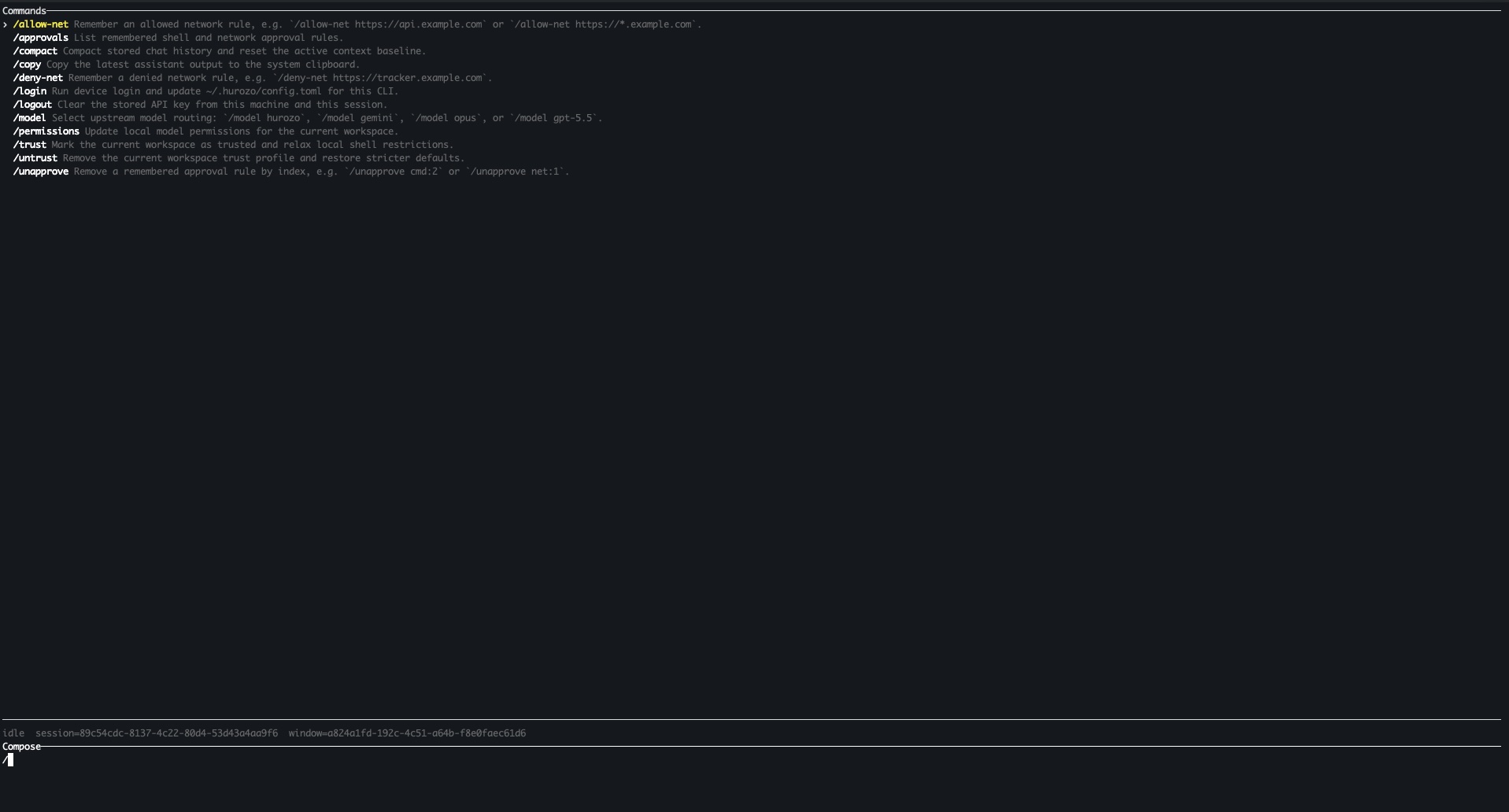
    Hurozo CLI running in a terminal

    Model routing

    Switch between Hurozo, Gemini, Opus, and ChatGPT-backed routes when your account is configured for them.

    Approvals

    Review tool permissions from the terminal and keep remembered decisions scoped to the exact operation.

    Second opinions

    Use model arbitration to ask another available route for critique, checks, or a different perspective.

    Connected tools

    Use the same account-backed connectors and skills available in Hurozo's desktop and WebCLI experiences.

    First run

    After installation, run hurozo. The CLI walks you through account authentication and any model-specific sign-in or secret setup that your selected route requires.

    Hurozo SDK

    Python agent invocation

    Hurozo SDK

    Invoke saved Hurozo agents from Python using the same API tokens, inputs, outputs, and runtime routing used by Agent Builder.

    Install
    pip install hurozo
    getting_started.pyPython
    import json
    import os
    
    from hurozo import Agent
    
    os.environ["HUROZO_API_TOKEN"] = "YOUR_API_TOKEN"
    agent = Agent("sentiment-analyser")
    inputs = {
        "prompt": "Analyze sentiment and return JSON. Text:",
        "input": "I am very happy!",
    }
    
    result = agent.run(inputs)
    print(json.dumps(result, indent=2))

    Agent lookup

    Use an agent name, saved agent id, or agent UUID. The SDK resolves the correct execution target.

    Structured inputs

    Pass a Python dictionary matching the API input keys exposed by the saved workflow.

    Hosted runtime

    Runs against Hurozo's execution endpoint, including model routing, tools, outputs, and usage accounting.

    Token setup

    Create an API token from Account settings -> Manage API Tokens, then set it as HUROZO_API_TOKEN before running scripts.

    Integrations

    Start from the stack you already run.

    You don't rip anything out. Point Attend at your helpdesk, your channels, your ticketing and your commerce tools, and it works them on your own model accounts. Open any connector below to see what it reads, what it does, and where it holds for your call.

    Every connector reads
    Context a crew needs: the ticket, the order, the customer, the account.
    Anything that changes waits
    ◆ Your call. A write to another system, a refund, a filed ticket holds at the gate first.
    And it all lands in one log
    Every call, its inputs and its result, in the trace you would hand a regulator.
    The catalog · open a connector for the detail

    Find the tools you already run.

    Grouped by where it sits in your operation. Open a card for what the connector reads, what it lets a crew do, and where it holds for your call. The Jira card runs a live sample.

    All live today
    Helpdeskswhere the queue lives

    Attend works your Zendesk queue directly. A crew reads the conversation and the customer's history, drafts in your voice, and resolves or holds.

    Reads
    Tickets, requester, history, tags
    Does
    Drafts replies, sets status, tags, routes
    Gated
    Sends and status changes hold for your call
    Logged
    In the Worker run log

    Attend works your Intercom inbox directly. A crew reads the conversation and the customer record, drafts in your voice, and resolves or holds.

    Reads
    Conversations, user, attributes
    Does
    Drafts replies, closes, tags, assigns
    Gated
    Sends hold for your call
    Logged
    In the Worker run log

    Attend works your Freshdesk tickets directly. A crew reads the ticket and contact, drafts in your voice, and resolves or holds.

    Reads
    Tickets, contact, fields
    Does
    Drafts replies, sets status, tags
    Gated
    Sends hold for your call
    Logged
    In the Worker run log
    Ticketing & devwhere work routes out

    When a conversation is really a bug, the Bug Reporter crew assembles the issue and files it to Jira. It reads the thread, drafts a clean issue with steps and context, and holds it at the gate. Approve below to watch it file and log.

    Reads
    The thread, prior tickets, context
    Does
    Drafts and files a structured issue
    Gated
    Filing holds for your call
    Logged
    Linked in the run log
    live · sample
    reads the ticket drafts the issue ◆ your call files to Jira

    The same bug-handoff pattern, into Linear. A crew drafts a structured issue from the conversation and holds it; on your approval it files and links the issue back to the ticket.

    Reads
    The thread, prior tickets, context
    Does
    Drafts and files a structured issue
    Gated
    Filing holds for your call
    Logged
    Linked in the run log

    The same bug-handoff pattern, into GitHub Issues. A crew drafts the issue from the conversation and holds it; on your approval it opens the issue and links it back.

    Reads
    The thread, prior tickets, context
    Does
    Drafts and opens a structured issue
    Gated
    Opening holds for your call
    Logged
    Linked in the run log
    Channelswhere customers write

    Attend answers on the channels customers already use. It reads the incoming message in context and drafts a reply in your voice, held for your call before anything sends.

    Reads
    The message and its thread
    Does
    Drafts a reply in context
    Gated
    Sends hold for your call
    Logged
    In the Worker run log

    The same answer-in-context pattern, on live chat. A crew reads the session and drafts, held for your call on anything it is not cleared to send on its own.

    Reads
    The chat session and history
    Does
    Drafts and suggests replies
    Gated
    Sends hold for your call
    Logged
    In the Worker run log

    The same answer-in-context pattern, on WhatsApp. A crew reads the conversation and drafts a reply, held for your call before it sends.

    Reads
    The conversation and history
    Does
    Drafts a reply in context
    Gated
    Sends hold for your call
    Logged
    In the Worker run log
    Commerce, CRM & identitythe systems a crew acts against

    A crew can look up an order and act on it. It reads order and fulfilment state to answer accurately, and any change to money or an order holds for your call.

    Reads
    Orders, fulfilment, customer
    Does
    Answers order questions, prepares refunds
    Gated
    Refunds and edits hold for your call
    Logged
    In the Worker run log

    A crew can read payment state and prepare a refund. Reads are free; anything that moves money holds for your call before it runs.

    Reads
    Charges, payment state
    Does
    Prepares refunds, answers billing
    Gated
    Refunds hold for your call
    Logged
    In the Worker run log

    A crew reads the customer record for context. Who they are, their plan and their history, so answers are grounded. Writes back to the record hold for your call.

    Reads
    Contact, company, deal, history
    Does
    Grounds answers, notes activity
    Gated
    Record writes hold for your call
    Logged
    In the Worker run log

    The same grounding pattern, on Salesforce. A crew reads the account and case history for context; writes back to the record hold for your call.

    Reads
    Account, contact, case history
    Does
    Grounds answers, notes activity
    Gated
    Record writes hold for your call
    Logged
    In the Worker run log

    Your people sign in with the identity you already run. Okta governs who can approve at the gate and who can change a crew, so permissions match your org.

    Reads
    Users, groups, roles
    Does
    Single sign-on, maps permissions
    Gated
    Gate approval follows your roles
    Logged
    In the Worker run log

    The same sign-in and permissions, on Google Workspace. Your directory governs who can approve at the gate and who can change a crew.

    Reads
    Users, groups
    Does
    Single sign-on, maps permissions
    Gated
    Gate approval follows your roles
    Logged
    In the Worker run log
    Models & inferencethe layer you own outright

    Bring your own Anthropic account. The router sends a task to Claude when it is the cheapest model that clears your quality bar. Nothing runs on our keys.

    Your key
    Runs on your Anthropic account
    Billing
    At cost, no markup
    Region
    Your provider's region
    Swap
    Add or drop anytime

    Bring your own Google AI account. The router sends a task to Gemini when it is the cheapest model that clears your bar.

    Your key
    Runs on your Google AI account
    Billing
    At cost, no markup
    Region
    Your provider's region
    Swap
    Add or drop anytime

    Bring your own OpenAI account. The router sends a task to GPT when it is the cheapest model that clears your bar.

    Your key
    Runs on your OpenAI account
    Billing
    At cost, no markup
    Region
    Your provider's region
    Swap
    Add or drop anytime

    Don't see yours? Any system with an API fits the same way, and a webhook lets it push events back in. Tell us what you run and we will confirm exactly where it stands before you commit.

    Your model · the router

    The router picks the cheapest model that clears your bar.

    You bring the keys, listed above; Attend routes the work per task, not per desk. Swap a provider without touching a worker. Where the model runs follows the provider, product, and account you choose; ask the provider for its data-location terms.

    Where this month's work ranlive · sample data
    Claude62%
    Gemini31%
    GPT7%
    Your keys, at cost. The router picks per task, not per desk. Swap a provider and nothing downstream changes.

    The tools you already run. The model you already pay for.

    See it work